A coding agent that runs on your own machine
Point Kvistcode at Ollama, LM Studio or any OpenAI-compatible server and you get a coding agent that is free to run and needs no sign-in. Your code stays on your computer unless you point at another machine, and Kvistcode warns you if you do.
What you need
- A local model server: Ollama, LM Studio, llama.cpp, vLLM or any OpenAI-compatible server, including a GPU box on your network.
- A model with enough context to work in. Ollama’s default window is small for agent work, so raise it (see below).
- The Codex CLI, which Kvistcode’s first-run setup installs for you, and a server that supports the OpenAI Responses API.
Set it up with Ollama
- Install Ollama and start it with a larger context window so the agent has room to work:bash
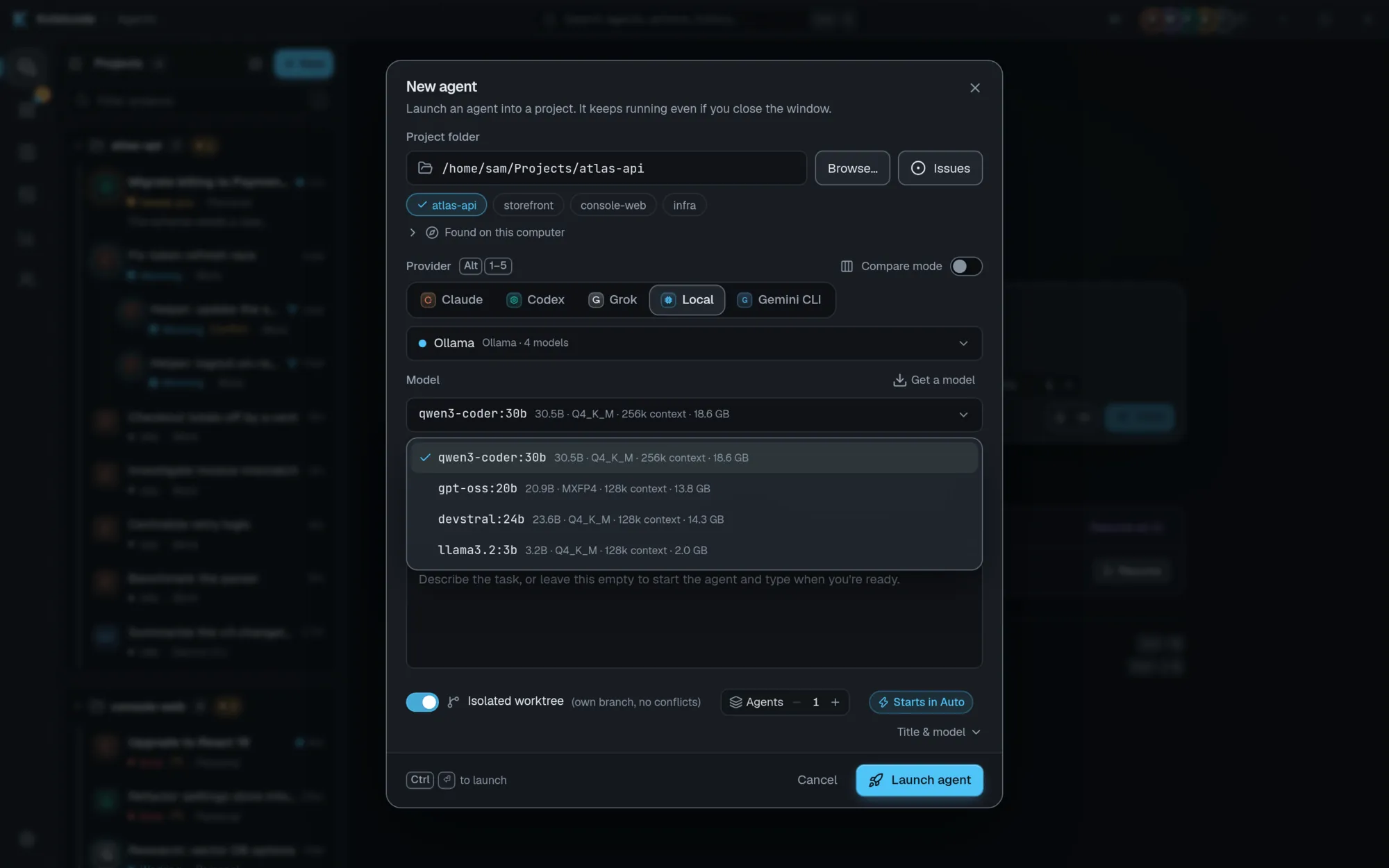
OLLAMA_CONTEXT_LENGTH=32768 ollama serve - In Kvistcode, open Accounts and choose Add local model server. Kvistcode detects Ollama and LM Studio automatically and lists the models they have. With Ollama you can download a recommended coding model from inside the app (“Get a model”).
- Start a new agent, choose Local and pick a model. You can switch models later.
Set expectations honestly
A GPU with enough memory for the model makes a big difference, and small models can struggle with tool use and long tasks. Start with a recommended coding model, keep tasks small, and keep a hosted agent around for the hard problems. Compare mode sends one prompt to several providers, so you can judge the difference yourself.
What stays on your computer
A local agent talks only to the server you configure. If that server is on another machine, Kvistcode warns you. Voice dictation is also on-device: speech is transcribed with Whisper and the audio never leaves your computer.
Local and hosted in one fleet
Local agents appear in the same Mission Control as Claude, Codex and Grok, each in its own git worktree, with the same review, checkpoints and notifications. That makes a local model a cheap way to run exploratory work in parallel. See running multiple agents in parallel.
Frequently asked questions
Which models can I use?
Is a local agent really free?
Does my code leave my computer?
Does it work with LM Studio or llama.cpp?
Take the helm.
Free, open source, and yours. Windows, macOS and Linux.