Git worktrees for AI coding agents
If two agents edit the same working copy, they overwrite each other. A git worktree gives each agent its own folder and branch while sharing a single repository. Here is how that works, how to do it by hand and what to watch out for.
The problem with one working copy
An agent edits files in place. Start a second agent in the same folder and the trouble begins:
- Both write to the same files, and the later write wins.
- One agent’s half-finished edit breaks the other’s test run.
- A branch can only be checked out in one place, so switching branches for one agent moves the files out from under the other.
What a worktree is
git worktree lets one repository have several working directories at once, each with its own branch checked out. They all share the same history and object database, so a worktree is far cheaper than a second clone, and commits made in one are immediately visible to the others.
Set one up by hand
From your repository root, create one worktree and branch per agent:
git worktree add ../myapp-auth -b agent/auth
git worktree add ../myapp-docs -b agent/docs
git worktree list
Point each agent at its own folder. When an agent’s work is reviewed and ready, merge it and clean up:
git switch main
git merge agent/auth
git worktree remove ../myapp-auth
git branch -d agent/auth
Pitfalls to know about
- A branch can live in only one worktree. Git refuses to check out the same branch twice unless you force it.
- Untracked and ignored files are not copied. A new worktree has no
node_modules, build output or.env. Install dependencies and copy local config for each one. - Dev servers need distinct ports. Two worktrees running the same dev server will fight over the port.
- Disk use multiplies. History is shared, but dependencies and build artifacts are not.
- Delete worktrees with git. If you remove the folder by hand, run
git worktree pruneto clear the stale record. - Conflicts do not disappear. Worktrees move them from “while the agents run” to “when you merge”, which is a better place to deal with them, but you still have to.
What Kvistcode automates
Kvistcode gives every agent its own branch and working copy, then wraps the rest of the loop around it:
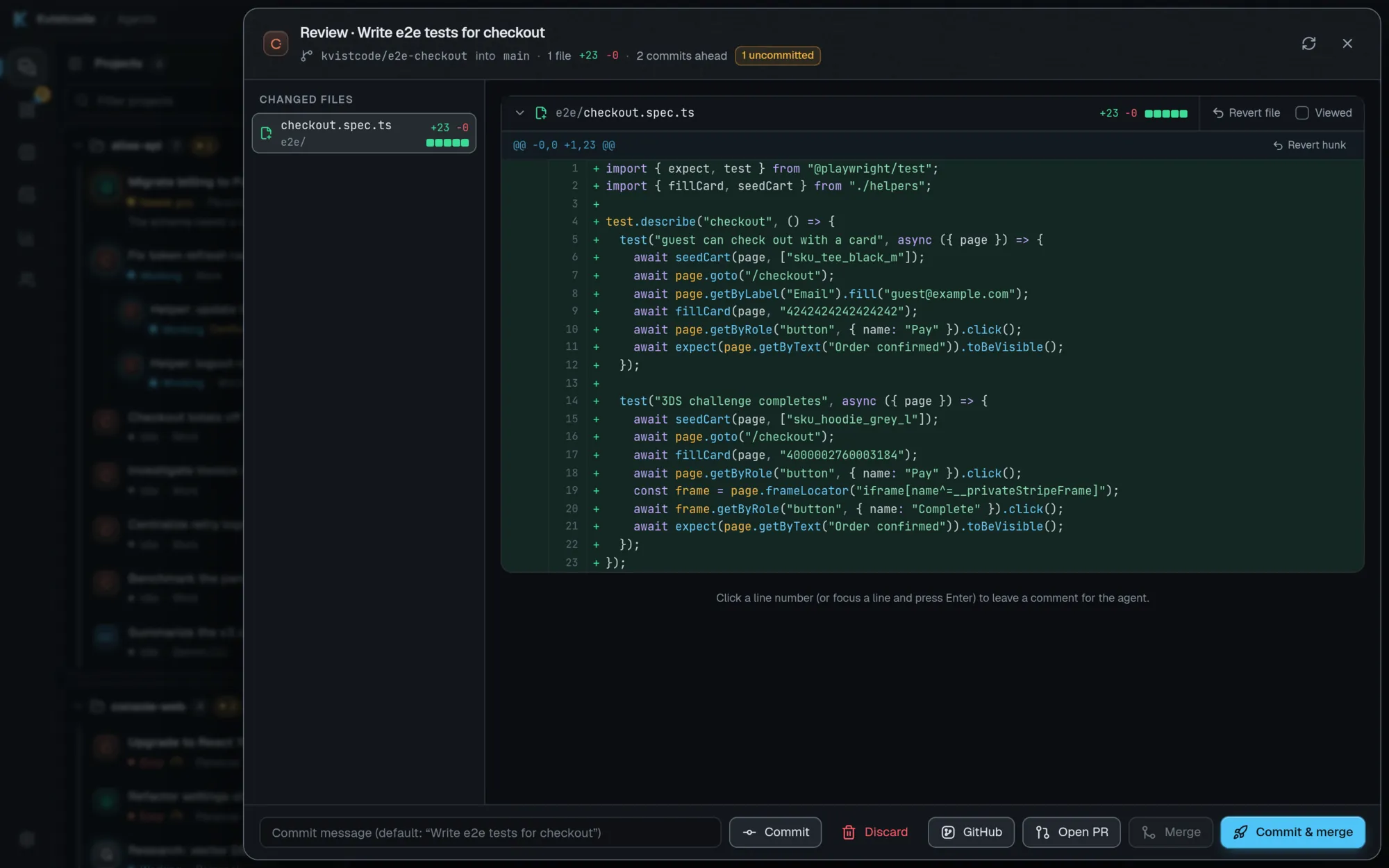
- Review. A diff sheet with per-file and per-hunk revert, a “Viewed” checkbox and line comments that go back to the agent.
- Commit, merge or open a PR from the end-of-turn summary, as a draft or against another base branch, with each agent’s pull request, check results and review state shown on its card. “Fix CI” sends the failing logs to the agent and “Address comments” sends reviewers’ feedback.
- Merge from the PR panel. Squash, merge or rebase, with a heads-up if checks are failing or review comments are still open.
- Start from an issue. Pick one of a project’s open GitHub issues and Kvistcode starts an agent on it, in its own worktree on a branch named after the issue.
- Checkpoints. Every message snapshots the agent’s files first. They are kept as local git refs under
refs/kvistcode/*, which are never pushed on their own (so do not rungit push --mirroron a working copy).
To see the whole fleet at once, read about running multiple AI coding agents in parallel.
Frequently asked questions
Is a worktree the same as a branch?
Is a worktree better than cloning the repo again?
Do I need worktrees if I only run one agent?
Will my .env and node_modules be in the new worktree?
Take the helm.
Free, open source, and yours. Windows, macOS and Linux.