A desktop GUI for Claude Code
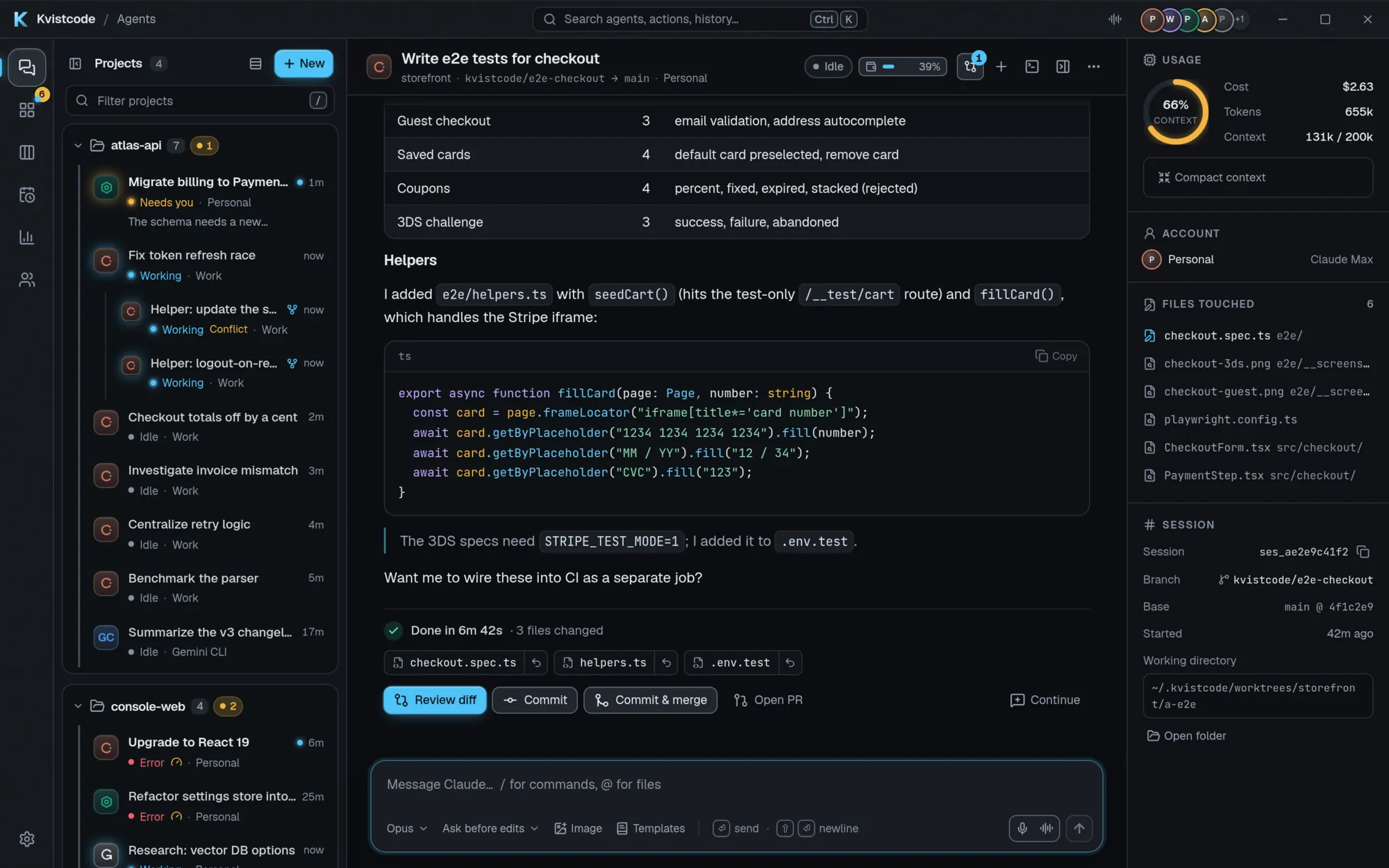
Claude Code is a terminal agent. Kvistcode gives it a window: a readable conversation, buttons for approvals, a proper diff review and room to run more than one at a time. It drives the official Claude Code runtime, so your Claude plan works exactly as it does in the terminal.
What Kvistcode adds to Claude Code
- A readable conversation. Runs of tool calls and thoughts fold into one line (“Read 4 files, edited 2 files, ran 3 commands”). Answers, approvals, plans and errors stay in view, and code is syntax-highlighted.
- Approvals with buttons. Pending permission requests show up as Allow and Deny buttons on the agent’s card, and you get a notification the moment one needs you.
- Real diff review. A review sheet with syntax-highlighted diffs, per-file and per-hunk revert, a “Viewed” checkbox on each file and line comments that go back to the agent.
- Checkpoints. Every message you send snapshots the agent’s files first. “Restore to here” puts them back, and your branch, commits and staged changes are never touched.
- Visible sub-agents. When Claude hands work to a sub-agent it appears as its own card with its tool calls nested inside.
- Images and mentions. Paste screenshots or attach images,
@-mention files with fuzzy search, and get slash-command autocomplete for Claude’s own commands. - Plan and usage at a glance. The agent header shows your plan and your 5-hour and weekly usage, where the provider reports them, and a meter appears whenever a spending limit applies.
- Search and instructions. Search every conversation with
Ctrl/Cmd+Shift+F, and editCLAUDE.mdandAGENTS.mdfrom one Settings page, with a warning if the file changed on disk.
It uses the real Claude Code
Kvistcode does not reimplement Claude Code and never scrapes a login. It runs Claude Code together with claude-agent-acp over the Agent Client Protocol, so your subscription is used the way Anthropic intends. It installs a pinned copy, keeps it current and rolls back any update that stops it from starting.
Each account gets its own isolated config directory (CLAUDE_CONFIG_DIR), and API keys are stored in your operating system’s keychain.
More than one Claude account
Run two Claude Max accounts side by side, each with its own login and its own usage meter. When one account hits its usage limit, Kvistcode can continue the work on another signed-in account. It asks first by default, can switch automatically if you prefer, and the feature is off until you turn it on.
Claude is one provider of several
The same window runs OpenAI Codex, xAI Grok Build, local models and any agent that speaks the Agent Client Protocol. Compare mode sends one prompt to several providers and shows the answers side by side, and Handoff lets one agent review another’s work. To run several at once, see running multiple AI coding agents in parallel.
Install and first run
- Download the installer for your OS from the download section (Windows, macOS universal, or Linux AppImage, .deb and .rpm).
- On first run, Kvistcode’s setup installs the agent CLIs for you. If you have no Node.js it downloads a private, checksum-verified copy and needs no admin rights.
- Sign in to Claude from the Accounts page.
- Press
Ctrl/Cmd+N, choose a project and Claude, and send your first message.
Frequently asked questions
Is Kvistcode made by Anthropic?
Do I need a Claude subscription?
Is Kvistcode free?
Does it work on Linux and Windows?
Can I use anything besides Claude?
Take the helm.
Free, open source, and yours. Windows, macOS and Linux.